FlintVPN Basic Gateway: One-tap Android VPN for private browsing
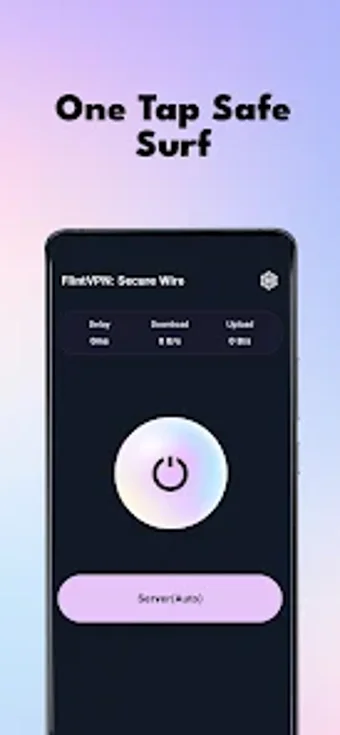
Experience straightforward privacy with FlintVPN:Basic Gateway from 陕西瑾嘉网络科技有限公司, a small Android utility built to protect mobile browsing and data on public networks. The app creates an encrypted tunnel using standard protocols and the Android VpnService API, providing a one-tap connection and automatic network path adjustment. Its core functions emphasize stable encrypted routing and a minimal interface. The target audience is Android users who want immediate privacy protection without manual configuration or technical setup.
What does FlintVPN do?
FlintVPN provides an Android gateway that establishes an encrypted network tunnel via the official Android VpnService API. The app routes device traffic through that tunnel and applies industry-standard encryption protocols, which the developer describes as protecting data from leakage and interference. In practice, it exposes a one-tap connect control and automatic path adjustment so devices can switch to an encrypted channel without manual server or protocol setup.
Does it affect device performance during use?
The app uses optimized data transmission algorithms intended to preserve throughput and reduce disconnections, according to the developer. Because tunneling runs inside the OS networking stack through the system VPN API, the tool avoids replacing core services. Automatic network path adjustment reroutes traffic under changing conditions to keep the connection stable rather than acting as a continuous heavy background process.
Is it safe to use?
FlintVPN follows a privacy-first policy and the developer indicates the app does not log user activity or personal information, addressing a primary safety concern. The service creates a local encrypted tunnel using the Android VpnService API, offering transport-layer protection for traffic. No logging of network records is presented as a design principle, which limits data retention on the developer's side.
Is it easy to use for non-technical users?
The app targets minimal setup, offering a one-tap connection and a minimalist interface so users can enable protection immediately after launch. The developer positions the product for people who prefer no manual configuration or technical steps. Zero-configuration operation reduces the risk of misconfiguration, although that same approach provides fewer manual controls for users who require granular routing or explicit server selection.
Practical judgment on who should use it
FlintVPN is a practical choice for Android users seeking immediate privacy on public networks, because it emphasizes one-tap connections and a privacy-first design. Users who need fine-grained routing, explicit server selection, or protocol controls may find the minimal configuration restrictive. As a practical tip, enable the connection when joining unsecured Wi-Fi to ensure traffic is sent through the app's encrypted pathway.